A while ago now (late 2006), I made the very conscious decision to not get involved with any more short films, with the exceptions of the occasional bit of helping out mates, I decided to avoid the whole "indie film industry", partly as I felt it's not really an industry.
Now I'm not saying there's not such thing as the Indie Film Industry, there clearly is, there's plenty of feature films being made without studio backing and being sold through a variety of distribution channels, from DVD distribution to Sundance and successful theatrical release, that, to me is the Indie Film Industry.
One of the definitions of Industry is "the organised action of making of goods and services for sale", the "for sale" bit, being my key point here. I seemed to be working with a lot of people who were under the impression that they were working in the "indie film industry" by making short films and maybe getting them screened in a pub somewhere. (Or even longer films in some cases), not seeing the film as a product, not having a realistic plan for it's distribution or getting any sort of return on, in some cases, quite a substantial investment. I myself spent out about £1000 on a short that didn't come out quite as I'd hoped and sat on an edit hard-drive for a couple of years, before getting archived on another hard-drive (still unfinished), but that's a slightly different post, although a realisation hit me at the end of the main part of production on that short.
That realisation about the "industry" I was involved in was that it clearly wasn't "the film industry", that it's more of an Amateur Film Maker's club.
That realisation was born of accepting to myself that, despite all the special features watched, the course at Brighton Film School, the books I'd read and all my enthusiasm, I really didn't know what I was doing. I had an idea about it sure, but going out and directing this reasonably ambitious short for a first timer (anything I'd shot before doesn't count at all), pulling together a crew and cast, making the whole thing work over a weekend, I was clearly an amateur, and so were the majority of people I'd worked with on this and other shorts/films.
There's a lot to be said for just going out and doing it, learning as you go. There's also a lot to be said for learning how to do it wrong.
At the time I was trying to change career, move entirely into a different industry, from retail into media/film, so my outlook was very career focussed and before my anti-shorts decision, I was all about getting involved with shorts, writing my own scripts, going to screenings, alongside the paid work I'd gained working in factual TV production. (The choice of going the Factual TV route was a circumstance/financial one really, but that's the route I chose at the time!)
Obviously, like many people out there i was hoping to, not only gain film-making experience, but also contacts, people in the industry who could then hopefully lead to more work. Unfortunately, most of the people in the "proper" film industry are not working on your average no-budget miniDV short film, thus the contacts being made only led to other no-budget miniDV short films, plus all of us were in the same boat on the skills front, sure there were people who'd been doing it longer, but pretty much all of us were just bumbling along figuring stuff out. Working on an "indie" film set is not the same as working on a professional film/tv set. Blind leading the blind and all that.
So I decided (after much faffing about with my own film) that I needed to learn a hell of a lot more and that doing these short films wasn't getting me to where I wanted to be. Time to focus all my energies on 'proper' work.
At the time, where I wanted to be was still up in the air. I'd already made the decision to go the factual production route (researching) for various reasons, so that's where my focus lay, eventually being allowed to shoot stuff, deciding that I really wasn't all that happy with being stuck in the office phone-bashing for 7 of my 8 weeks of contract, then getting to the point of using "real cameras" instead of just PD170s & Z1's (although I still get a LOT of Z1 work, plus I KNOW how to shoot on one!), then working with and alongside experienced professional cameramen to start learning "the craft" and that's essentially where I want to be now.
I am a cameraman, I moved on from factual production over a year ago, although still keep a hand in every now and again to keep skills up, but I'm developing myself as a cameraman. The route I've taken (via production) has kind of niched me to a degree, the same as other routes, such as the kit-room upwards route can do, but in different areas, but that's something I'm working on, at the end of the day I'm a cameraman, yes I'm multi-skilling, I can edit on FCP and (bit rusty on) Avid, I have a strong factual production background and years of management experience behind me, but at the end of it, I want to be the best camerman/camera operator I can be, learning "the craft" so that with any luck, down the line I can be a top end operator, perhaps be able to call myself a "lighting cameraman" or even a "DoP" (people giving themselves titles above their station/experience, again is another post). Getting to this point, which is still early days as far as I'm concerned, has come from focussing on that 'proper work' and ignoring the Amateur Film Club/Indie Film Industry stuff.
Now you may be thinking that this is just a big snobby rant about short films and slagging off the people who make them, it's not (it's leading somewhere, honest). I know people who have and who currently are, making low/no-budget films, FEATURES even, with a view to distributing them and with any luck, pulling in some sort of revenue, they also work on shorts, some of them have also been doing work in the "proper" film industry, but that hasn't been garnered solely from doing no-budget dv shorts.. I've worked on odd shorts and other projects since my decision, for friends, as I've said. I've no problem with the many people who are out there making shorts, I've seen some absolutely cracking ones along with the plethora of dross, just to me, at the time, and to a degree, still now, feel that the "indie film industry" is not where I should be focussing my energies to achieve the goals that I want to reach.
So why is it then am I about to embark on producing, what is, for all intents and purposes a number of short films, shot for minimal budget, with minimal crew and generally as far removed as you can get from a "professional film set", what I've been purposely avoiding for the past few years??
It could just be put down to the "working with friends" exception rule, but it's not, I'm investing a lot more time, effort and cash into this. We're really starting to go against pretty much everything I've been saying now!!
Is it because we're calling them a "Podcast" or "Web Series" instead of "Short Films", does merely a change of title mean that makes it all okay, when everything else about the project fits the description of your usual no-budget DV faire? Well partly. I say partly because, we've got a definite distribution plan for the product (it IS a product after all), okay getting something up on the web isn't exactly rocket science any more, but getting that all important marketing and promotion down, that's still eluding a lot of people. Plus we're developing a series rather than a single short, which means it's more marketable and more open to viewer investment (of the repeat/return viewing kind rather than monetary), AND we are looking at ways to monetise it, it's certainly more feasible to make money back (on what ever scale) from a series than a single short or group of disparate shorts.
The fact remains tho, that we're not expecting to make any money from it and even the vague expectations we have at the moment, amount to covering production expenses. There are podcasts/web series out there who have "made it", ones who are pulling in high viewing numbers and reasonable revenue from varying sources, the same as there are filmmakers out there who have made a few shorts and gone on to "make it" in the film industry, but I'd say the numbers (in some form) are comparable.
So I am going back on everything I said earlier then? Again, partly. There's a whole lot of "speculate to accumulate" in this project, and no real guaranteed "accumulate", I've got to invest a fair bit of time and energy, as well as some cash (although trying to keep it as low as possible) into what is essentially an experiment into a field I've been interested in for a while, all the time, fitting it around my 'proper' work, to make sure I can still bring money in and further my career goals (along with the other people involved), with the hope that it will see some modicum of success. Much like many short film makers.
So apart from having some vague plan and a good level of belief in the project, what else? Enjoyment.
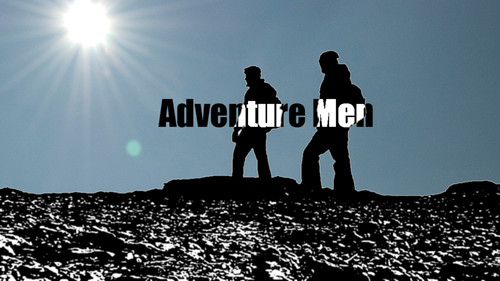
Adventure Men, as we call it, is carrying on from a thing I got involved in back in March (wow, that went by quick!!). A friend of mine, who for the purposes of this post we'll call Ross Lewis, who worked with me at Gadgetshop, got in touch and said that he and his good friend Simon Daneski were planning on doing something for Comic Relief and did I fancy coming along and filming it for them. It sounded like it could be fun, so this fell into the "working with mates" exception category.
Fun is not how to describe it. Having an absolute BLAST is slightly better. A total of six hours of filming time (an evening, a morning of climbing a hill, some lunch and a little bit after lunch) became the five episode behemoth comedy event that is Touching the Dyke, (that links to YouTube, you could also have the Touching the Dyke Vimeo Channel if ya fancy) which thus far has been pretty well received, over 3000 views, cumulative across all videos and sites (and raised over £400 for Comic Relief). So the viewing figures, ratings and people saying "That was actually pretty funny", all from very little planning and haphazard promotion efforts, combined with the enjoyment on the day (the edit schedule was ridiculous, t'will be more measured this time around), gave all three of us involved a full on robot chubby for doing some more.
Factoid: I initially insisted that TtD would be a single max 10 minute short. D'oh!
Factoid: I've initially insisted that the first installment Adventure Men (and subsequent installments) will span no more than two 7-9 minute episodes. This is being met with some doubt/resistance from within the AdMen camp. Only edit time will tell!!
So this time round, slightly more planning, some may say even collaborative workflow (!! more on that another time), a lot more ideas and struggling to come up with ideas to expand the thing. Trying to format it better, this is mostly down to me as I've got to cut the thing together, so I need to make sure I cover all my shots on the shoot day(s) whilst letting Ross & Simon keep to their flow. The reason for formatting is, we're going for a series, a series needs identity, more than characters and titles, although considering I'm no After Effects wiz, I'm pretty chuffed with what I came up with on the title front! A series needs structure, I'm basing that structure on existing programmes and adapting it accordingly, whether we can stick to that once we get into things, we'll have to wait and see.
It's still all very experimental though. All a bit "run-and-gun", there's no script, simply a number of beats we know we want to hit, and ideas we want to include, the rest is totally improvised by Ross & Simon, thus from a filming POV, especially as a single camera shoot, that's a challenge, need to get coverage and details in one take (thinking two camera shoot's a possible, if I can cover kit and find someone for next Tuesday! the 28th!!) although I think I'm gonna cover my technical concerns in another post as this one is MAHOOSIVE! (at least compared to what I normally post)
Anyway, My point, if there is one to this, is that I'm not totally going back on what I decided was my way forward back in 2006, I'm still not going to devote time to working on loads of other people's shorts, but this project is something I'm willing to devote to, something I'll work to fit in and make work, whether it does or not, we'll have to wait and see, it will hopefully evolve and improve, but it's still down to people watching it and liking it as to whether this particular "amateur" project will make it or not. I hope it does.
Finally, apologies for any bad links, spelling mistakes and the glaring grammar issues throughout, but deal with it (in a nice way).
You can follow the progress of Adventure Men in a few ways...
On the Lookout Film & Digital blog (Adventure Men announcement)
Follow @AdventureMen on Twitter
and currently we've set up our YouTube account http://www.youtube.com/AdventureMenShow although we'll also be publishing to other hosting sites.
We're currently toying with a dedicated website, but nothing just yet.
I'll post certain personal thought son stuff here, and I'm sure Ross will do much the same on his blog.
A couple of links to people who I know and I feel are actually doing something vaguely sensible in the "indie film industry" ;)
Mike Peter Reed, his blog is here - Filmmaker Slog
Simon Drake and Dan Rickard working on Darkest Day
White Star Liners - Tyre Pressure Was The Least Of His Worries (Live)
0 comments Posted by Matt Grover at 1:39 pmHelped out some friends of mine by cutting together some recent gig footage for them, taken from a couple of camcorders (one 16:9, one 4:3, yay, both auto-exposing, double yay), I synced and cut together the two angles, applying a little re-framing (or a lot on the 4:3 stuff), and the odd bit of motion, as well as a bit of a grade (within FCP) to take the edge off the DV footage and some of the blown out areas.
Something I've been working on for this year's Red Nose Day...
You can follow their progress on blip.tv and YouTube. Enjoy and if you fancy you can donate here. Cheers!

Is that good? I'd rather be guaranteed not to get tapeworm.

HURRAH! the 50mm 1.8 Nikkor that I ordered off eBay has arrived! I ordered from Jesscollie Classic Cameras, who's now on my fave sellers list.
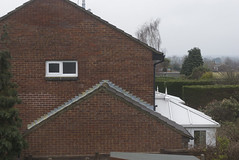
I've just snapped off a few shots for lens comparison on my Nikkormat EL and Olympus Trip 35, I've still got frames to use up on the rolls in both cameras, so they'll be a while away yet, however after I did it I thought I may as well snap a shot off from my iPhone, after all it has a camera, I do take pictures with it, why not add it to the mix. So here it is.
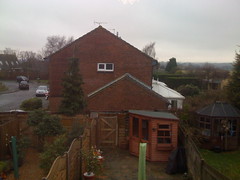
Shot landscape, no adjustments.
The full set. More will be added as and when.
Well not quite everywhere, but still...
I've just recently added a couple of zoom lenses to my kit (2nd and 3rd from left), both by Tokina and both found in a charity shop in Horsham! (hopefully on it's way via eBay soon is also a Nikkor 50mm f:1.8 prime)
- Nikkor AF-S DX 18-55mm f:3.5-5.6G VR (kit lens)
- Tokina SZ-X 270 28-70mm f:3.5-4.5
- Tokina SZ-X 210 70-210mm f:4.0-5.6