Helped out some friends of mine by cutting together some recent gig footage for them, taken from a couple of camcorders (one 16:9, one 4:3, yay, both auto-exposing, double yay), I synced and cut together the two angles, applying a little re-framing (or a lot on the 4:3 stuff), and the odd bit of motion, as well as a bit of a grade (within FCP) to take the edge off the DV footage and some of the blown out areas.


I've got the rest of the gig sat on the work drive as I work on building videos for each song for them, so they could well upload some more at some point.

For those of you in the Liverpool area, they're playing The Cavern, this weekend (23/24 May), check out their website for more details White Star Liners (www.whitestarliners.co.uk)

Touching the Dyke

Something I've been working on for this year's Red Nose Day...


You can follow their progress on blip.tv and YouTube. Enjoy and if you fancy you can donate here. Cheers!

HURRAH?

What are your chances of getting a tapeworm?

Is that good? I'd rather be guaranteed not to get tapeworm.


HURRAH! the 50mm 1.8 Nikkor that I ordered off eBay has arrived! I ordered from Jesscollie Classic Cameras, who's now on my fave sellers list.


So what's next for this lens?? Well it should get some use in some upcoming photoshoots, at f1.8 it should be a nice portrait lens, and as with the other lenses, it'll hopefully get some use in the video world via a 35mm adapter later in the year.

Nikkor 50mm


Lens comparison set on Flickr


more lens comparison

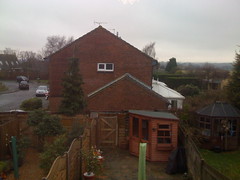
I've just snapped off a few shots for lens comparison on my Nikkormat EL and Olympus Trip 35, I've still got frames to use up on the rolls in both cameras, so they'll be a while away yet, however after I did it I thought I may as well snap a shot off from my iPhone, after all it has a camera, I do take pictures with it, why not add it to the mix. So here it is.
IMG_0276
Shot landscape, no adjustments.

The full set. More will be added as and when.


Lenses lenses everywhere

Well not quite everywhere, but still...


I've just recently added a couple of zoom lenses to my kit (2nd and 3rd from left), both by Tokina and both found in a charity shop in Horsham! (hopefully on it's way via eBay soon is also a Nikkor 50mm f:1.8 prime)


The main reason I snapped the lenses up is that they're Nikon AI-S F-mount lenses and thus compatible with my Nikon D80, the older lenses I have (3 on right) are Pre/Non-AI lenses which are fine with my well old Nikkormat EL, but not so good for the D80 without being modified first.

The idea of me building up my SLR kit, is partly bringing still photography into the work side of things, for stuff I work on and also projects I'm developing, but also to have a collection of lenses to use with 35mm adapters such as the Letus, which while doesn't quite give you the quality of a set of DigiPrimes or similar, does lend an interesting creative turn to video filming that I intend to explore.

One of the first thing's I've done so far is to compare viewing angles of the lenses, or at least the D80 compatible ones (3 on the left up there), I'm also going to run off a few shots on film with the EL and the same lenses (with the exception of the Nikkor DX), plus the 3 non-AI lenses.

Left to right (and with the samples below, top to bottom), they are:-
  • Nikkor AF-S DX 18-55mm f:3.5-5.6G VR (kit lens)
  • Tokina SZ-X 270 28-70mm f:3.5-4.5
  • Tokina SZ-X 210 70-210mm f:4.0-5.6
For each lens I took two snaps out of my window, one fully wide, one fully tele. (Mouse over for alt text)

Nikkor 18-55 @ 18Nikkor 18-55 at 55
Tokina 28-70 at 28Tokina 28-70 @ 70
Tokina 70-210 @ 70Tokina 70-210 @ 210

So there you have it, 3 lenses' focal lengths compared with dirty, no frills snapshots. Bet you're looking forward to the others now eh? ;)

http://www.flickr.com/people/mattgrover/


Up and Running 6a

Page 2 of my iPhone and it's apps...


Again top to bottom, left to right.. All non standard apps on this page were free.


Clock:- I use the alarm feature quite regularly but that's about it, if I want to know the time a quick press of the home button while locked will tell me. No complaints tho.

Weather:- Another standard iPhone app, built from the Yahoo! widget, it's ok, but very very basic, I'm gonna look for a more detailed one, but then if I find one I won't be able to delete this one!!

MySpace:- I don't use MySpace a hell of a lot any more, but I still have an active profile, and I occasionally check it on the go and delete all the crappy spam adds that you get on MySpace, functionally, the app's not as good as Facebook (much like the site itself!) (iTunes)(Profile)

Digg:- Bookmark to the mobile version of Digg, which isn't the easiest to use, and thus doesn't get much use from me. (Link)

TubeStatus:- As I do a fair bit of work and commuting to/from and in London, this would seem like quite a handy app, which I suppose it would be if I actually checked it regularly before my journey, but at the same time, the Tube isn't that hard to navigate and if there's a major problem (becuase "minor or even major delays" generally don't matter if you're just getting the next train), you can easily figure out how to go around, and if you're checking the app now, it's already too late. If it was integrated into a map, that may be more useful. (iTunes)

Linkedin:- Another social network site, this one supposed to be more business orientated, so I've got a profile, have some connections and that's about it at the moment, but the mobile app comes in handy if I want to check on it.(iTunes)(Profile)

Photos:- The standard iPhone photo gallery app, once again, I've got no issues with this, I don't want to be doing any photo manipulation or editing on the go, it simply stores my phone cam photos and syncs with iPhoto. Cheers.

UK Trains:- WebApp interface for the National Rail Timetable search, the interface isn't great, but it delivers the same results, and for a free webapp it's ok, does the job. (Link)

ShoZu:- This seemed like a bloody good app, I could post pictures to my various accounts from a single app, could blog on the go, all looked good. First time I tried posting a pic to TwitPic, it failed, nothing posted. I think I've had one test blog post from it and that's about it. There has been an update and I haven't tried it since, so maybe I should give it another go.  (iTunes)

IM+ Lite:- I keep this on as a just in case, it should handle multiple IM accounts and protocols, I very rarely use it. Don't know if the paid version's any better. (iTunes)

Remote:- AWESOME!!! Brilliant app from Apple to control iTunes. Unfortunately I rarely have cause to use it as I'm generally sat with or next to the computer that's playing the music, however when I eventually DO get a media centre set up, this WILL be used! (iTunes)

eBay:- The interface isn't great, but I have been using it recently to keep an eye on my watch list, and even placed a bid with it, so on that score I guess it does it's job. (iTunes)

AroundMe:- I really like this app in principal, I wish I could get more use out of it. It should link to the location services and tell you what's nearby in any given category, for instance Restaurants. Which it seems to, as long as their in whatever database it looks up (Google??), I've used it to find somewhere to eat, as well as confirm that there were no better options from what we'd already found. (iTunes)

AIM:- I get more use out of this than IM+ Lite, mainly as my girlfriend has a MacBook now I set up an iChat/AIM account for her and now if I'm out and about this can save on SMS Texts, as long as there's a decent connection. Hopefully it'll get the whole push server thing going on and then will run in the background, that would be handy. (iTunes)

MMS:- Okay, was told about this one recently whilst filming at Olympia. We had a chat with one of the guys on the O2 stand there at BETT, and he pointed us in the direction of this app. It's a simple app that gives you an interface to the O2 MMS web portal, so if you receive an MMS message you can use this app to read it rather than faffing about through Safari. This is definitly a much better way to do it. My only concern is with sending. Now, unlike the majority of the whinging iPhone community, I'm not that fussed about having MMS capabilities, true this app makes it easier for me to pick up any that are sent, but I could do that on the web anyway. If I want to send a picture I'll generally email it. However there's still a lot of people who haven't got decent mobile email and so are still using MMS, like my girlfriend for example who has a Nokia 5000, because that suits her mobile phone needs, and has MMS. So I can view MMS messages from her, and with the MMS app I can also, if I REALLY needed to send them. However you need to top-up MMS credit from within the app via PayPal, the rates seem about average, but are they on-top of my mobile tariff, is it a seperate thing? I haven't been able to clarify, thus I haven't given any money over. (iTunes)

Darkslide:- I added this yesterday, because I was specifically looking for a picture of something. Sat in the car, bought it (free) over 3G, used it to search Flickr. Couldn't find what I wanted, but that's not the app's fault. It seems pretty good, lot of functionality, I'm gonna keep it about for a bit. (iTunes)(Profile)

Starting to notice I have a lot of apps that get bugger all use.


Pownce it! Pownce it!

Up and Running 6

I've now been using my iPhone 3G for about 6 months, so here I'm going to cover the 'page 1' apps on my iPhone. Top to bottom, left to right. (pages 2-4 will follow)


Calendar:- Pretty straight forward this one, I use iCal on my MacBook as my main calendar, so it's synched to that. Unlike on my previous Nokia phones, I can add an item to any calendar category I like, rather than having to specify just one iSync or something. Only bugbears with it are that there's no week view and the calendar colours don't match the one's in iCal, the latter at least seems like a no brainer!!

Maps:- Maps gets knocked by a fair few people, mainly for it's lack of "turn-by-turn" SatNav abilities, all I can say is that so far, it's got me everywhere I've needed to go. True every now and again there's a post code error and it takes me to the wrong street, but this isn't the application's fault as such, more the data it's using from Google Maps, or maybe even address having the wrong post code on it. 
Back to the "turn-by-turn" side of things, yes, this is is a tad fiddly in Maps, you have to tap through each waypoint and then re-engage GPS tracking each time, not the best thing to have to do while driving. Rumors still fly about the Tom-Tom software for iPhone and a guy from O2 told me there was another SatNav app coming out soon (same one as they have on XDA perhaps), but I've yet to see it, plus it'll be a subscription based model, not sure about that.

Contacts:- I don't have to delve into this that often, apart from via the phone book. It was dreadfully slow to begin with, updates have pretty much sorted that.

Camera:- For a bog standard phone camera, it's not terrible, yeah sure there's better phone cameras out there, but this is comparable to and better than some previous Nokias and Motorola's I've had. Does ok.

Twinkle:- I'm a Twitter addict. So until it goes bankrupt (revenue model yet anyone?) I'll keep going. There's a variety of Twitter apps out there, I've been happiest with the interface on this one, plus it's location aware. (iTunes)

Calculator:- It's a calculator...

Notes:- It does exactly the job I need it to do. If I need to make a note of something, this is where it goes.

NetNewsWire:- I got into the whole RSS thing a few months back, and I have both the mobile and desktop version of NNW, both pretty good, for collating the various sites I read. Still think the mobile one has syncing issues tho. (iTunes)

Facebook:- A pretty good interface for the site, they do keep improving it, there's more needed, but I'm sure they'll get there. I do get quite a bit of use from this. (iTunes)

Safari:- All in all, it does a pretty good job, can be a little fiddly with some sites if there's crowded text, you can easily tap a link when you wanted to zoom in, or tap an adjacent link to the one you want. Can be a tad slow at times and obviously doesn't cope well with pop-ups etc.

Evernote:- Thinking this may go soon. It's an interesting concept when combined with the broswer applet, you can clip to Evernote then it's accessible from pretty much anywhere. Thing is cell data isn't great and I rarely use it. Favouring emails, Notes and PDFs it seems. I want to like it tho. (iTunes)

Settings:- Cos there's no quick switch icon for Wi-Fi on/off

Air Sharing:- Brilliant, gives you wi-fi disk access to your phone, create folders, drag over docs, whatever really. I've got a store of useful docs on my phone and use this a fair bit. Be handy to have some integration to mail or something, to allow you to save docs to it tho. But that's probably more a restriction by Apple. Luckily I also got this when it was free, but well worth the £2.99 now! (iTunes)

Traffic:- WebApp, quick view list of traffic problems around the UK, listed by region, very useful (if I remember to check before I set off!), would be handy if it listed by Motorway, cos half the time I'm going somewhere of any distance, I lose track of which county I'm in!! (WebApp)

FireFone:- Recently discovered Fire Eagle, added it to my Twitter-style addictions and online explotation. Tried a couple of Fire Eagle apps out, this seemed to do the job the quickest. Apparently the recent update allows Location to Twitter posting, haven't tried that yet tho. (iTunes)

Quick bar.

Phone:- No complaints so far, sometimes the Visual Voicemail is a bit sketchy whether it will actually be visual or not, but that hasn't been a major issue so far.

Mail:- Again, this has been working okay, nothing has stopped me from working or anything like that, would like to be able to save documents tho, that did cause a minor delay in things the other day as I couldn't get the doc off the phone (no wifi to pickup email on my MacBook), but overall it's done well. My email accounts are all over the place, but I will be upgrading my server to Exchange which will hopefully solve all that (but not until Snow Leopard!)

SMS:- I'm pretty sure I text a hell of a lot more with this, the conversation format works well, only issues are me being too quick and accepting some of it's stupid spelling and word suggestions by mistake.

Checklist:- I tried various ToDo list apps, this one enabled me to add tasks the quickest, so it stuck. (iTunes)

Okay, so there's page 1, I'll cover pages 2, 3 and 4 when I can/feel like it/am bored/etc. Always interested to hear about useful and interesting apps, especially paid apps that are actually worth the money!


Pownce it! Pownce it!

BETT 2009

Today was the first day of BETT 2009 @ Olympia, and as I've done for the past couple of years, I was part of the team covering it for Teachers TV. It's been a long day and I have a blister on the ball of my left foot.


If you're hoping for an insightful post on the current state of technology in the education marketplace, this is not going to be the one. This is about what freebies we snagged on the way round, mainly as despite being rather tired, I'm not quite ready to go to bed yet, so you get this!


The haul is not as good as previous years :( no bags, no mugs, no drinks bottles. I'm pretty sure we could've found all three of those (bags at the very least), but for some reason, the freebies were hard to find, the stands were more reluctant to give them away and we seemed to have a much tighter schedule (or at least it became tighter!) this time round, which meant less time to browse on our way between I/V locations!

But what did I come back with.

A Pencil with TWO rubbers on it!
A Rubiks...sorry...Logo-Branded-Generic-Puzzle Cube (which one bit pinged off while I was smugly boasting about it to the presenter)
A rather snazzy flower shaped highlighter (may give that to my g/f, on the other hand, may not)
A few sweets, including a sherbert lolly!!
A Stress LightBulb
A Stress Phone
2 'credit-card' sized packs of mints
&
3 USB Memory Sticks! (not sure on the sizes yet, won't be huge, although my sound guy got given a 2GB one and he didn't even ask!!!!!)

Also got recommended a couple of iPhone apps by the guys on the O2 stand, I'll cover at least some of them in a post tomorrow (yeah right, believe that when I see it!!... I Will honest!)

Anyway, it was a great show and we saw (and filmed) some interesting stuff, should be a good programme!! BETT Report 2009 goes out on Teachers TV 20:15 Thursday 15th (Today now!!) and should be available online shortly after at http://www.teachers.tv/video/30904


Pownce it! Pownce it!

YO YO YO'9

Well it had to happen I suppose... as it does every year, one finished and another arrived, this time, something a little different, Two Thousand and NINE, yes NINE of all numbers!!


OK it's late, 20 past 1 in the AM Jan 2nd 09 and after pretty much 3 months, I NOW decide I want to post some random shite up here. Deal.

So, was pretty damn busy at the end of last year, mix of stuff and, by the time it came around, I was really glad for a bit of a break over xmas! :/

How did '08 go?? Not bad, first 8 months of being freelance done and dusted, all going ok so far, sure there's a way to go, but for a start, I'm pretty pleased. 4 months left of my first year, and then a proper assessment I think.

Been trying to work out my 1 year and 5 year plans, not going great, still needs a lot of work, and preferably some sort of writing down, once I do figure out what they're going to be. Still interested in creating some sort of online content, still toying with various ideas, still not moving forward with anything... that'll be on the plan.

Spent too much money over xmas... mainly on myself, post xmas. I'm not a bastard, I bought good presents, just buckled afterwards and bought myself one..


What you see there is my spanking new Nikon D80 sat next to what can now probably be described as my vintage Nikkormat EL, which used to be my Dad's. The Lens on the D80 is an 18-55 'G' lens, which isn't great, but it's a start. I want to get a decent zoom for it as the Nikkor 80-200 I picked up recently for the EL is of too old a type to mount on the D80. Damn.

Apparently I can get the lens modified to fit, which I may need to do anyway, as I bought it not only for the EL but also for use with lens adapters on video and I think there's a similar mounting issue there.

Anyway, Happy New Year.

Mood is quizzical and ever so slightly apprehensive
Currently (still) listening to White Star Liners - Dimmer Then Explode

BREAKING THE LAW?!


Apparently anyway according to Facebook, although it could well be a click of the "Report" button on a video (haven't tested what happens with that as yet).

I've asked them for details as to what the actual problem is, currently waiting to hear and as of this time, the video that they say has been removed, is still listed under My Videos.

The video in question is a showreel, so it'll be interesting to see what comes back from FB as the precise issue.


Pownce it! Pownce it!

Me Meme

In response to Mike....


1. Take a picture of yourself right now.
2. Don’t change your clothes, don’t fix your hair…just take a picture.
3. Post that picture with NO editing.
4. Post these instructions with your picture.

Do it. I did and (as you can see) I'm tired, haven't done much except sat on my bed and opened my laptop since I got in about quarter of an hour ago and I don't even know what a 'meme' is!

Comic collection


Testing out Blogger integration with Shozu on my iPhone by posting a random picture of my comic collection (minus one just out of frame and a few in the loft).

It's growing, just read the first trade of Proof, which was awesome, also started reading 'normal' comics, currently following Wolverine with the Old Man Logan storyline, Marvel Apes, Kick-Ass and I Kill Giants, all very good.

Verdict on Shozu just before posting is that it's a tad slow and unresponsive, let's see how the posting goes...

Posted by ShoZu

[edit]

Okay it seems that didn't work so well, in that ShoZu posted to the wrong blog (it dawned on me that I hadn't been asked to specify while it was sending), so I've copy and pasted here, not sure how the geotagging went down there either.

[more edit]

Ok have now rectified the situ via ShoZu's web page, hopefully posting from the iPhone will go straight here now.

Busy Busy


It's been little over a month since I last posted on here, not that I'm that regular with posting anyway, but still..


Been a busy month so far, and subsequently I'm fucking knackered! (there's no pleasing me!) Been good fun though and tomorrow, all being well, I'm off to Brussels for the final few days of this part of the BT job I've been on. (which reminds me I must check the train time for getting to St Pancras!).

As I've been busy, the comic script I've been working on has had to go on back burner for a few weeks, not a bad thing really, need to come up with some new stuff for it as it was too short, and as I had a pretty tight story worked out originally, it's hard to come up with something to extend it without just adding "stuff", I'll get there tho.

Couple of other projects bubbling under as usual, waiting for something to kick off. BTW anyone been watching "The Wrong Door"... Brilliant!

On the iPhone front, things are going pretty well and I'll chuck up another "Up and Running" post soon, maybe in a bit if you're lucky ;)

White Star Liners


myspace.com/whitestarliners


Pownce it! Pownce it!

Ok, let's start with the native apps..


Gone from the phone now are both PhoneSaber and Labyrinth Lite.

Added to the phone is:

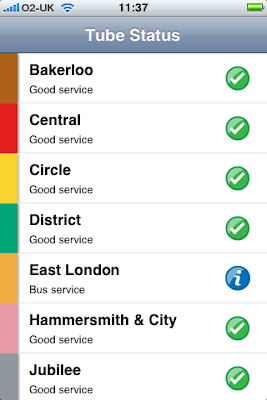
TubeStatus
TubeStatus is a simple app that's pretty much Ronseal, gives you the (I'm presuming) current status of the various London Underground lines. Having just installed it a few minutes ago, I haven't tried it "in the wild" yet, but I will and we'll see how that goes. To be honest, I don't usually worry about "minor delays" and stuff, because of the pretty poor nature of the tube anyway, but it's possibly handy to know about any major problems before getting to the station, or even setting out on your journey.

What would be good to see is DLR info in there as well and at least a link to an online tube map if they're not allowed to include one (of course TFL could always buy him out and include a map then ;) I'm not gonna stop carrying my trusty paper tube map just yet, but it's a start maybe.
Now onto the WebApps.

Referring back to a previous (pre-iPhone) post, where I'd been looking at some WebApps to see what I'd potentially use, only one of those is currently bookmarked on my home screen.

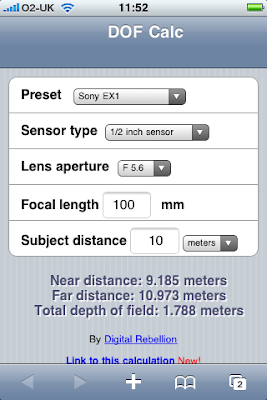
Depth of Field Calc
Instead of having a circular piece of card or plastic that costs around £1m give or take, there's a handy little web app for doing something similar. You pick your camera, which should then give you the correct sensor size, then give your focal length and subject distance and the app calculates and displays your DoF. It's video only, not a problem for me as pretty much all of my work is on video at the moment, and despite having smaller cameras like the HVX200 and EX1, it's missing others that may be useful, such as the Sony DSR-450/570.

Again, I've not tried this out properly yet (will post when I do), but it's certainly an interesting app and I know a couple of people who've had it installed on their original iPhones.


Before I deleted PhoneSaber, I installed an update for it (no major changes), played about with it and randomly decided to tap on the info button. This displayed who it's by; TheMacBox with a "Tap here for more apps" button... so I did. It seems they've got some pretty good stuff going on!

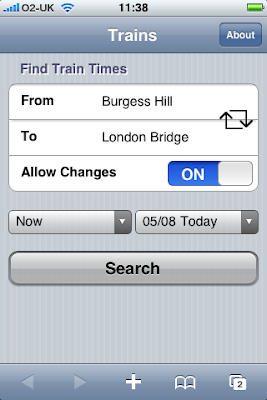
UK Train Times
nationalrail.co.uk on the iPhone is a bitch! Okay so Safari gives you the 'real' web, but some sites are still a bitch to navigate with it, National Rail being one. So this app sounded really interesting.
It seems pretty good, great clean interface (although all these standard colours are getting a bit dull now, not this particular app's fault though), seems to work well, I'm guessing it queries the National Rail site and displays the results in a more iPhone friendly format.
Only complaint so far, can't select Arrival time, which is what I normally use.


Cinema Times
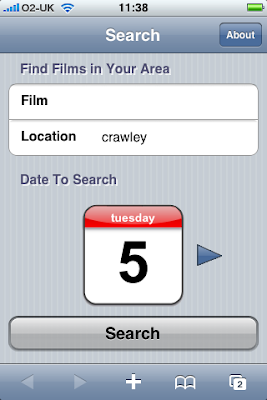
From the same guys comes Cinema Times, type in the film and area, or just the area, give a date and tap search and it returns, first the various cinemas around there, tap one to get the times, tap the film to get links to it's IMDb page, trailer if available, where else is showing it and the ability to mail the details to someone.
You can't book online, but it does give you the phone number for the cinema (which you can obviously call from your iPhone!) and a Google Maps link showing the location, although this is a web based Google Map link rather than invoking the iPhone's Maps app.
I think the last time I actually pre-booked tickets was for The Phantom Menace (and we all know how that turned out!), so the booking doesn't bother me, I'm liking the look of this for quickly finding out what's on though.


I know I've been crap with hyperlinking the various apps, but the UK Trains and Cinema apps are on TheMacBox's site and I've linked that above ;)


So part two (or as the observant have notices, part 'b' and technically part 3, but hey..) on iPhone apps that I've been trying/using. Previous post covered the ones that I'd tried and removed, now for the ones that are still on the iPhone, for now at least.


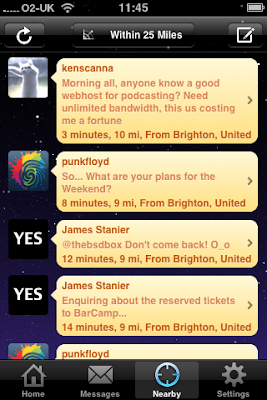
Twinkle (free)
A location aware Twitter client, apparently Twitteriffic is location aware as well, but I couldn't find that in the version I had, plus I prefer the interface on Twinkle.

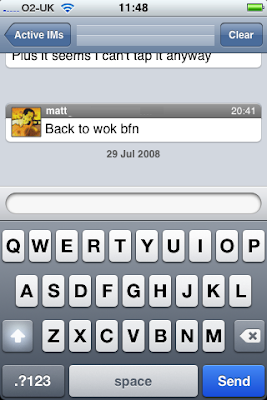
AIM (free)
When Apple's push server is up, this will rule, as would any other IM client hopefully, and with any luck significantly reduce the amount of SMS texts I use each month. The interface isn't brilliant, but it does the job, haven't checked out the Online/Away/Offline side of things when you go back to the home screen yet tho, so not sure how good that is.


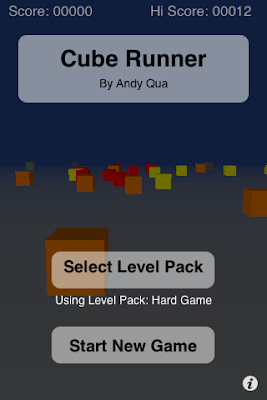
Cube Runner (free)
Quite an addictive game, simply (uhuh) fly your craft through the blocks for as long as possible amassing points on the way, very simple premise, controlled with the phone's accelerometer, I haven't played it in about a week tho, so it may come off soon.(I have managed to get a higher score than 12 btw)

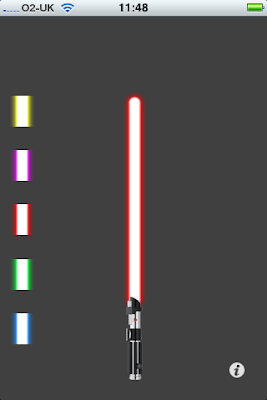
PhoneSaber (free)
I tried to resist, I couldn't, this was one of the first apps i downloaded to the iPhone, it's great for showing off your new iPhone to all the people who haven't got one, but that's about it, the novelty wears off and I've shown it to pretty much all the people who's be impressed by PhoneSaber now, so it'll probably come off soon. Not yet though, just in case.

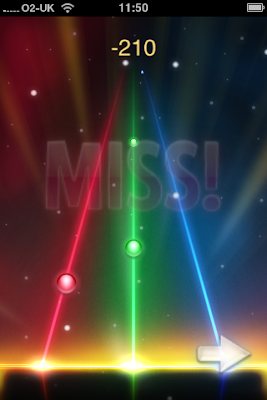
Tap Tap Revenge (free for now)
Another game, yes, a good one though (although could do with some sort of better feedback when you tap), I'm not gonna bother to explain, it's a rhythm game, it's doing very well for itself and is definitely worth getting.

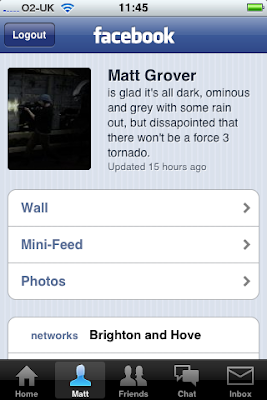
Facebook (free)
The Facebook app is getting there, still needs a couple more features implemented, video of example, more detailed friend feeds, but it's pretty good for a "mobile" app, haven't tried the chat on it, but the Mobile Photos part is a very very good idea.

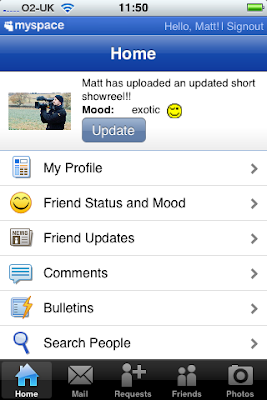
MySpace Mobile (free)
MySpace is a bit of a has been now, true it's still pushing forwards with the music and stuff, but it's all about marketing now rather than a pure social thing, i've got the app anyway, as I'm still on there and I still use it.

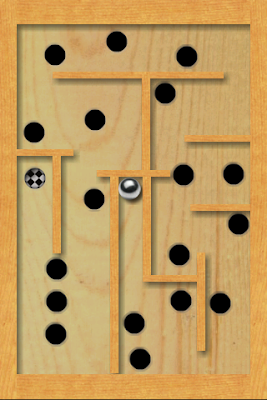
Labyrinth Lite Edititon (free)
Another addictive little game, simply one of those puzzles where you have to maneuver a ball bearing around a course, avoiding the various holes. Not impossible, but a couple of the courses took a few tries. I've got one left, not sure if I'll upgrade and pay for more, but it's worth investigating.

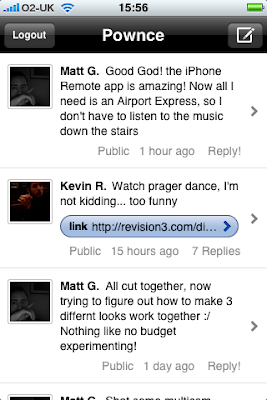
Pownce (free)
I've got a Pownce account, but it hasn't seen much use yet. Transferred a couple of files, got Twhirl linked up to it, but it's still in early days yet, got the app tho cos I would like more use from it.

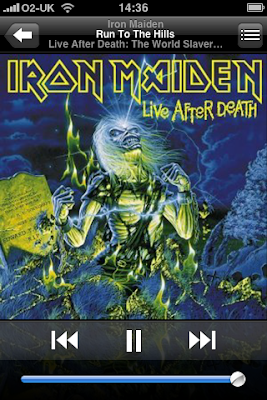
Remote (free)
Finally buckled and downloaded this today. It's AWESOME, at the end of the day it's a simple principal, but the fact that, I'm downstairs typing this, my PowerMac (which had my iTunes library on it) is blasting away upstairs (listening via the staircase, oh for an Airport Express) and I can change tracks using my cocking PHONE is AWESOME!

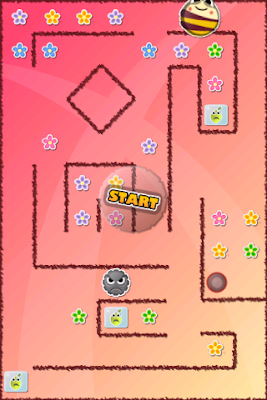
Dizzy Bee (£1.79)
Ok, finish up the post with the first app that I decided to pay for. Is it some uber-productivity app? Something camera or video related? No it's a cutesy little game featuring a bee who has to recuse fruit. Another accelerometer based game, with which you could easily tie yourself in a knot or dislocate something, you roll around resucing fruit, collecting flowers and dropping it all in a hole. As the levels go up, so baddies are introduced who squish your fruit and pop your bee. It's brilliant, especially for only £1.79!

So that's it for now, 5c will cover the web apps I've looked at and the ongoing adventure that is the iPhone 3g (?), the only other thing app related at the mo, is a complaint.

I don't have any stocks, I don't currently want to purchase any stocks so I sure as hell don't need a stupid Stocks app on my phone! Can I get rid of it? No, it seems I bloody well can't! (And no I don't want to Jailbreak my phone thanks), just to uncheck it in the settings somewhere or something.

Ok, Blogger's formatting restrictions are REALLY pissing me off. I JUST WANT AN IMAGE NEXT TO EACH ONE!! WHY IS THAT SO FUCKING HARD?!?!? Fine I'll put them below, FUCK YOU BLOGGER!


Okay and here.. we.. go. A rundown of the various apps I've have or have had on my iPhone 3G. I'll do this in two parts, starting with the apps I've tried and have removed. 

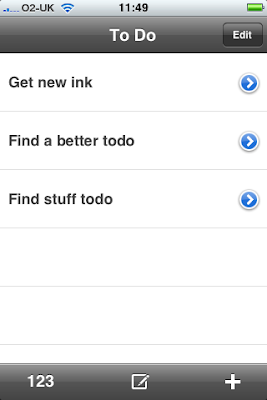
ToDo
This little app by Erica Sadun, will be leaving my iPhone shortly, as a) I'm not using it and b) it takes like 3 taps to even get a ToDo up and running, may suit some. Not me though.

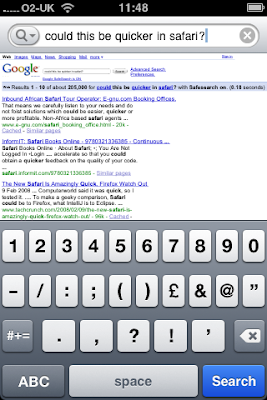
Google
It would probably be good, if it was actually quicker then me using Google in Safari and didn't have a nasty habit of rebooting my iPhone. You are the weakest link. Googbye. (see what I did there.)
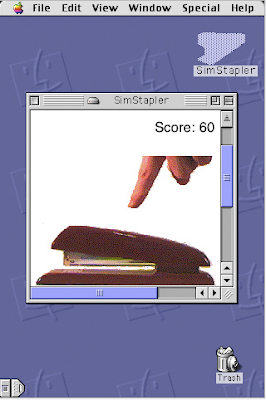
Sim Stapler
You tap the stapler, it staples, every 10 is says something to you.
Funny at first. Not any more.

Jared
God Awful! I don't even know what to say about it, it's terrible, a total waste of a download, despite all the "positive reviews"
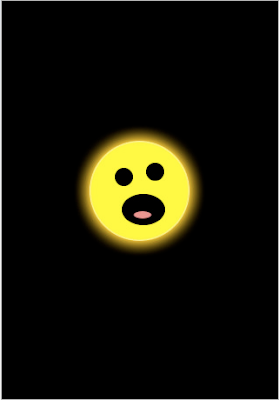

Bubbles
A cute little prog to demo the touch screen, but that's it, I downloaded the free versio (obviously), apprently there's a paid one?!?!?


Twitteriffic
I gave up using Twitteriffic on the desktop, favouring Twhirl, now I've switched on the iPhone as well, to Twinkle. Seems camps are split by these two, I like the loction based tweets in Twinkle, hated the Twitteriffic interface.
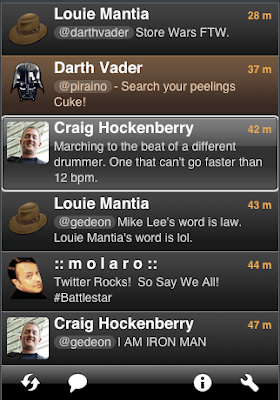

Ok that's those, next post the stuff that's still on there... for now MWAHAHAHA! :/

Newer Posts Older Posts Home

Blogger Template by Blogcrowds.